
Free browser DAW
Your DAW.
In your browser.
Record audio, build beats, play instruments and arrange your next song. RiffDrop puts a multitrack studio in a browser tab, ready when the idea arrives.
Continue with GoogleSign in with Google to start a project. Invited collaborators can join without an account.
Same song. Different time zones.
Your next bandmate could be anywhere.
Send a project link and make music with musicians across the world. Add a guitar part from home, leave a note for the bass player, and pick up the song when inspiration strikes.
See how it worksA shared idea, in 60 seconds.
60 seconds · English · Music optionalRead the video transcript (English)
0:00 — A DAW. In your browser. Free. No install. The actual RiffDrop studio shows a staged demo with drums, keys, bass and recorded parts. Start with Google. No signup forms.
0:08 — Bring a friend. In a fictional chat, Alex sends Maya an invite: “Hey Maya — this groove needs your guitar. Fancy a take?” Maya replies, “On it. Give me a minute!” Invited friends open the link without an account.
0:15 — Same project. Two studios. Maya in São Paulo records a guitar part. Alex in Warsaw sees the completed take appear in the same project a few seconds later. Updates appear automatically.
0:23 — Put your idea out into the world. Alex posts a listening link to a fictional music community: “Help me finish this track?” Other musicians make their own copies and return links to a dreamy version, a bass groove and a guitar take.
0:38 — You didn’t have to make it alone. Alex responds, “Okay, THAT’S the one.” The studio appears on a landscape phone: catch a demo, add a take and keep the idea moving.
0:46 — Your recordings. Your Google Drive. Recordings are stored in your Drive, under your control.
0:50 — Keep going in your favourite DAW. The actual export dialog shows stems and MIDI for Ableton Live, Logic and FL Studio, plus REAPER projects and DAWproject.
0:55 — Built for the love of music. Free to make music. Always. Open riffdrop.io. An original instrumental score accompanies the film; there is no spoken narration. People, messages and contributions are illustrative.
From first riff to full arrangement
Make room for the next idea.
No installs. No session files to send.
Just a link and whatever comes next.
-
01
Record. Play. Arrange.
Capture a take or bring in audio. Add drums and instruments, edit notes, trim clips and loop the part you want to get right.
-
02
A link brings you together.
Share a project and let other musicians add their parts remotely. Keep feedback beside the music with comments and shared notes.
-
03
Make it sound like you.
Set levels and pan, shape tracks with effects, then export a mix or stems to take the song further.
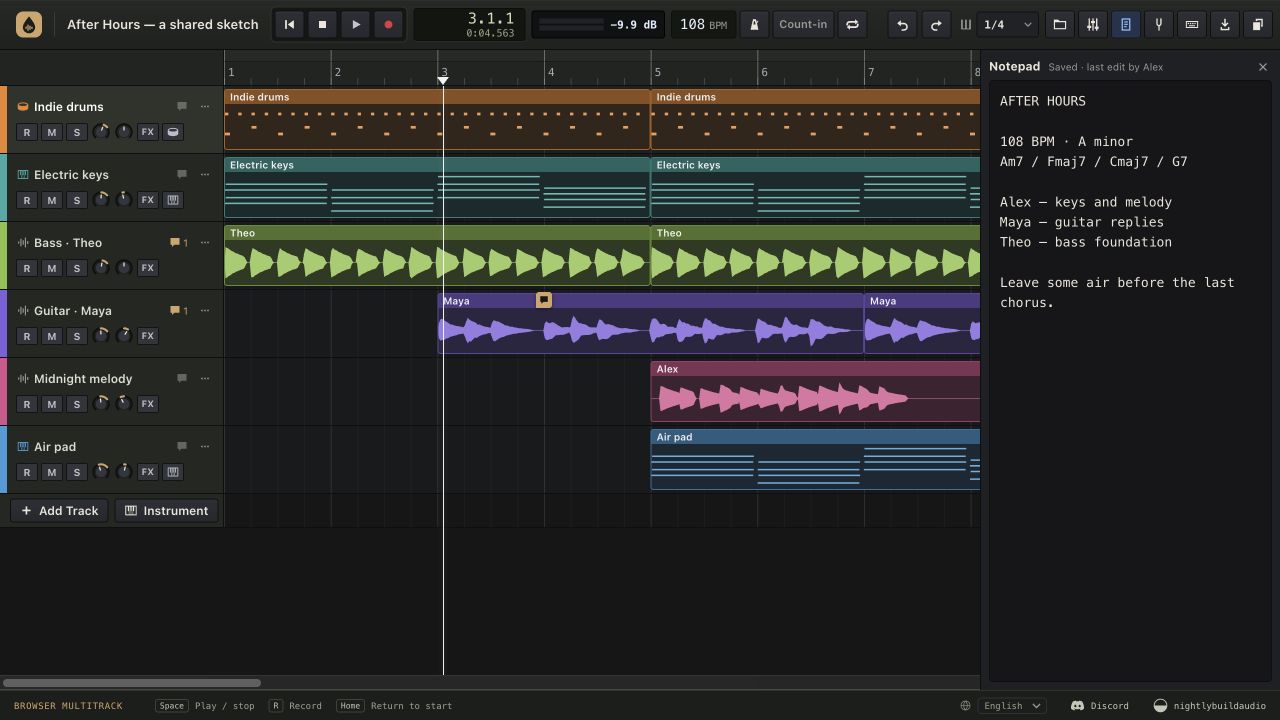
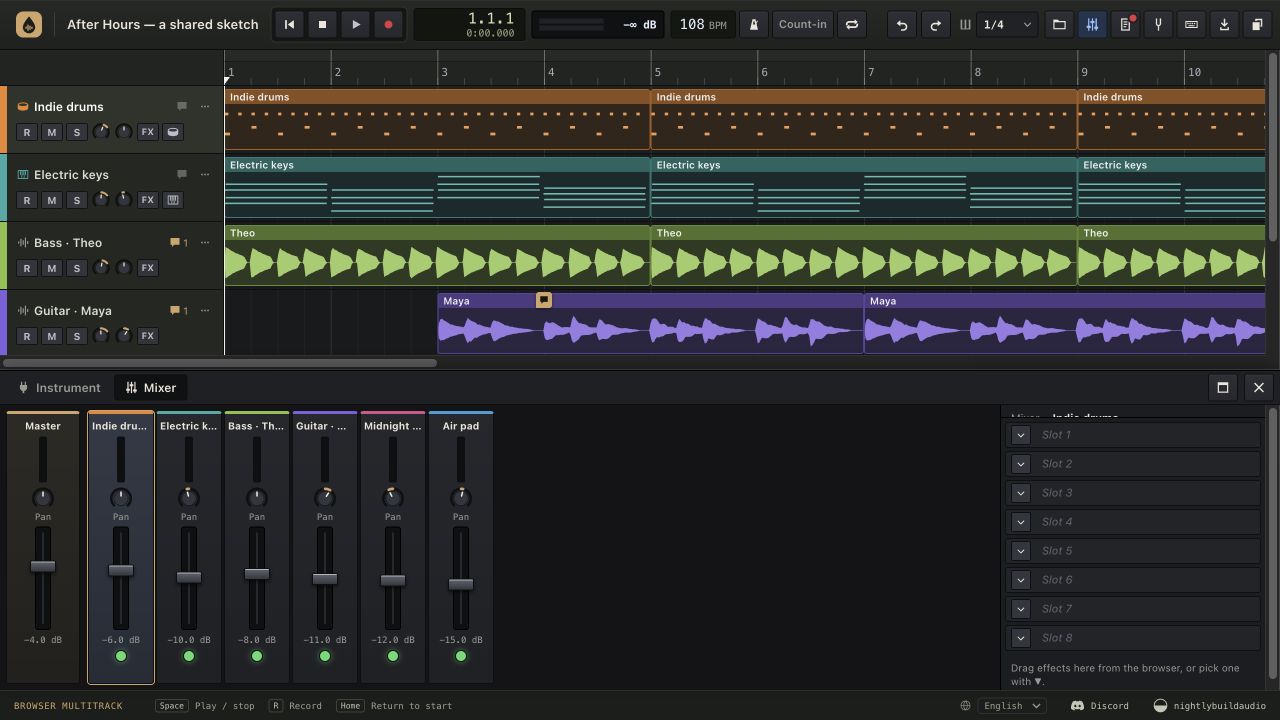
Actual RiffDrop interface with an original demo arrangement, synthesized recordings and fictional collaborators.
Audio lives in the creator’s Google Drive. Anyone with an edit link can join, so share it with your intended collaborators. How privacy works